Student instructions
Student instructions
Completion requirements
4. User profile and language selection
In your user profile, you can update your personal information and, for example, add a profile picture. Your profile also shows the courses you are enrolled in, your login information, and other user details. You can update your information by selecting Profile.
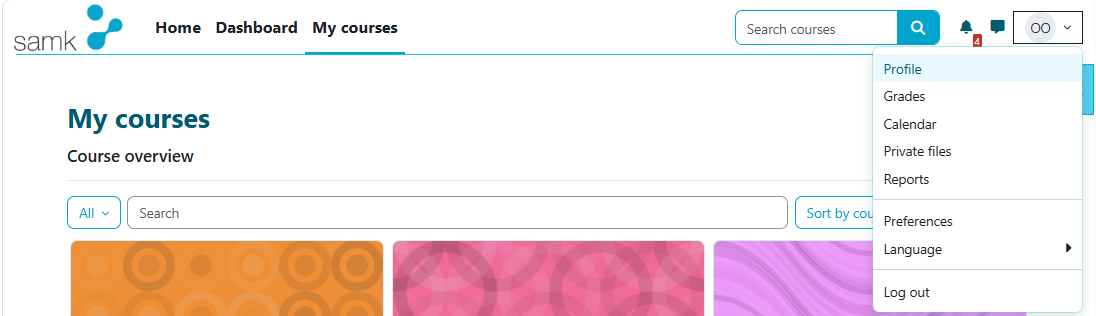
The easiest way to access your user profile is from your account menu in the upper-right corner of the site.
Language selection:
You can easily change the interface language for the current session from your account menu in the upper-right corner of the site.
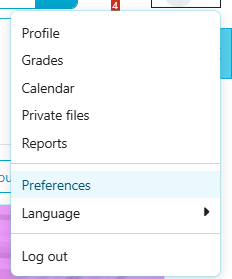
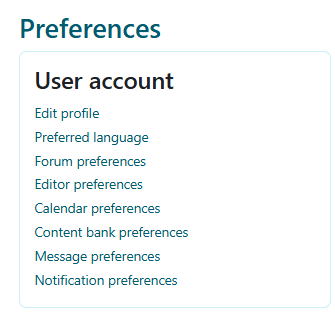
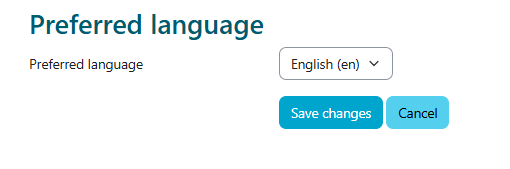
You can change the interface language permanently from the same menu by selecting Preferences → Preferred language. Remember to save your changes.