
Student instructions
Student instructions
Completion requirements
5. Courses (course implementations)
When you select a course card or course name on the My courses page, the course implementation created by your teacher will open. Course implementations may have different layouts, but they all include common elements such as learning materials, participants, grades, and activities. Course content may be organised in different ways, and your teacher will provide more information about the structure used in the course.
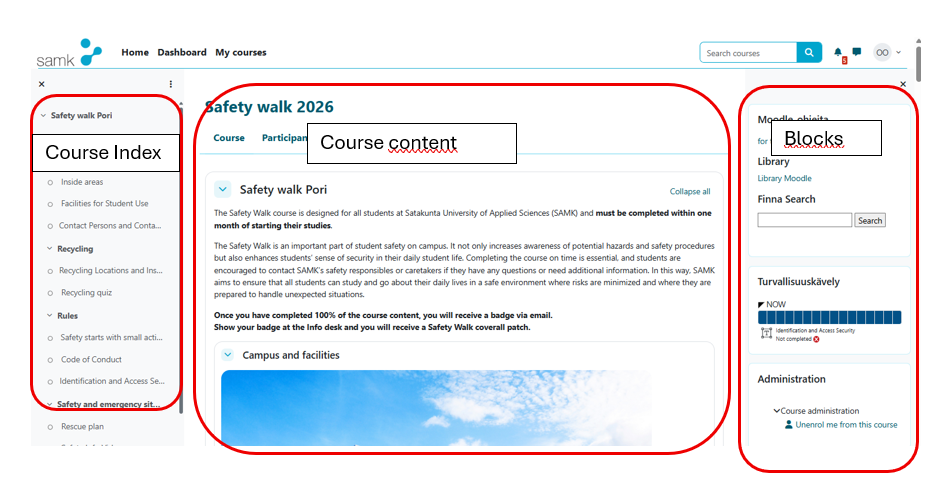
Both the Course index and Blocks sections may be hidden. You can display them by clicking the menu icons on the left and right sides of the page.